Phasmophobia
 Granny 2
 Baby In Yellow
 The Cat in Yellow
 Ultimate Custom Night Plus
 Poppy Playtime Chapter 3
 Survive The Night
 The Backrooms
 Poppy Playtime Chapter 4
 Five Nights at Freddy's: Security Breach
 FNAF World
 The Visitor: Massacre At Camp Happy
 Amanda The Adventurer
 Horror Tale
 Poppy Playtime 2
 Labubu Horror
 SCP-087: Into the Abyss
 5 Nights of Horror
 Temple Guardians
Not every sound you hear is made by you, sometimes it is the sound of an entity lurking in the darkness watching you. Will you be the predator or will you lead yourself into a trap?
A horrible ghost-hunting experience: Phasmophobia
Every assignment in Phasmophobia is a frantic struggle for survival rather than merely an investigation. You run the risk of becoming a victim of unearthly beings while looking for them.
Phasmophobia: What it is?
Phasmophobia immerses you in the investigation of paranormal phenomena. Venture into haunted locations to pinpoint the exact type of entity present.
Rather than simply being abandoned due to degradation or the passage of time, some places are abandoned because "something" is still there something that has never departed. Because of this unpredictability, players are constantly on edge and are never able to lower their guard, not even for a brief period of time.
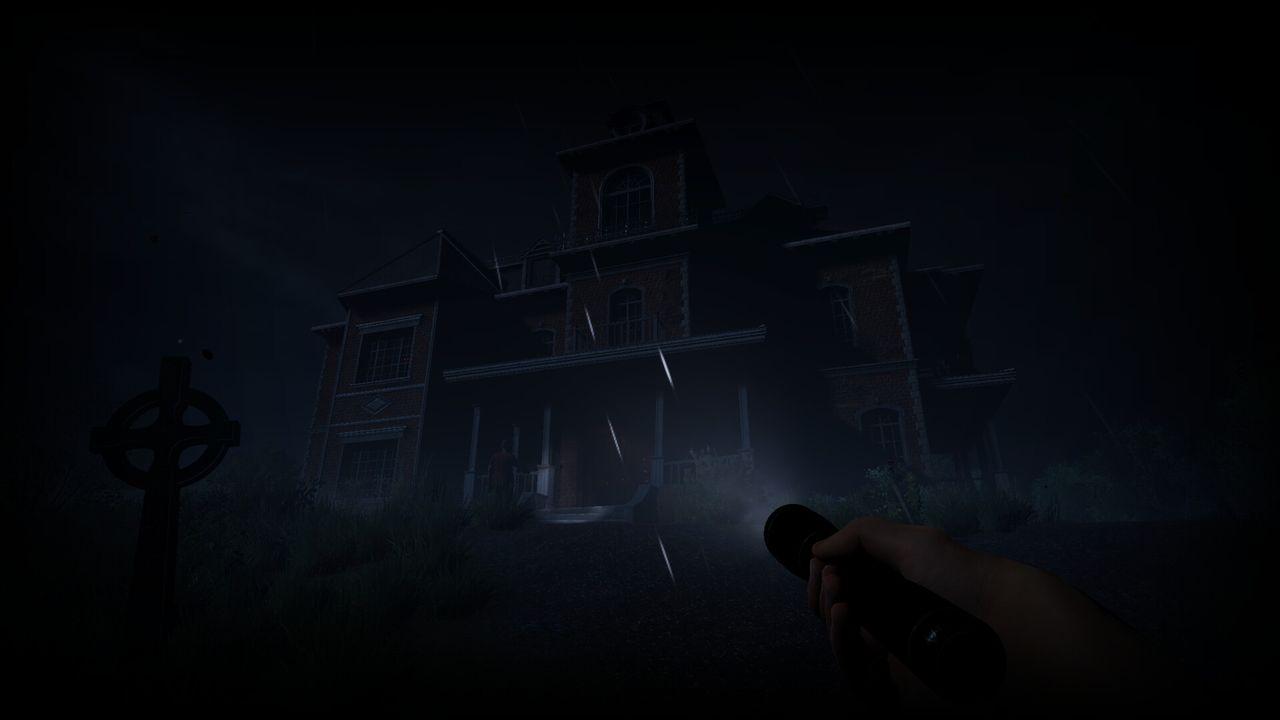
Phasmophobia gameplay guide
Controls
- Motion: WASD.
- Use the left mouse button to turn on and off equipment and take pictures.
- Zoom in with the right mouse button.
- Equipment drop: R key.
- Set down the equipment: F key.
Choosing a map for investigation
- You can choose from one or two maps right away and start your investigation. You have to finish the investigation in the first region before you may access the others.
Launching the mission
Every mission starts at the investigation vehicle. Here, you are able to:
- See the map of the place.
- Get your equipment ready.
- Verify the mission's goals.
- Before entering the building, decide which equipment to bring.
Acquiring investigative equipment
Players must choose support tools like the following before they may access the site:
- EMF reader (paranormal activity detection).
- Thermometer (looks for unusually low temperatures).
- camera for surveillance.
- UV light (which finds prints and traces).
- Journal/Spirit box.
- EVP recording equipment with a microphone.
Analyzing the haunted area
Once inside, your primary objective is to locate the ghost's chamber and identify the type of creature it is. You must:
- Keep an eye out for irregularities like flickering lights, opening doors, and moving things.
- Determine the EMF levels in questionable locations.
- Look for abrupt reductions in temperature.
- Install cameras or other recording equipment.
- Note the ghost's responses.
Determining the type of ghost
- Every kind of ghost in the game has distinct traits. Open your journal and choose the appropriate type once you have accumulated enough proof.
Survival and secure retreat
- Players must remain composed, turn off lights, avoid making loud noises, and carefully flee to the truck when the ghost becomes very active.
What makes Phasmophobia so eerie?
- Silence and uncertainty are the root causes of fear.
- Just survival, no weapons
- A sense of realism is produced by voice chat and sound.
- The player's own imagination is the source of fear.
- If you've played Alone II, you'll realise that the two games are similar in that they both take advantage of the uneasiness that comes with being by yourself in a dark room with horrible quiet.
Is the mission drawing to a finish, or is the terror just getting started?
When you identify the sort of ghost and leave the area, a mission in Phasmophobia may appear to be over, but the feeling of dread doesn't go away right away. Experiences like eerie noises, times of being pursued, or even a door opening by itself can have a profound effect on a player.
The "home alone" scene from the game Home Alone might occasionally be evoked by being by yourself in a dark house, cut off from your teammates. The key distinction, though, is that players must contend with a supernatural dread that lurks in the shadows rather than safety and humor.
Popular Games




New Games





 Creepy Night at Freddy's
  Five Nights at Huggy
  Five Nights at Labubu's Pizzeria
  One Night at Flumpty's 3
  One Night at Flumpty's
  Five Nights at Spike's
  5 Nights with Nubik 3
  5 Nights with Nubik: The Suburbs
  Five Night at Robby's
  One Night at Flumpty's 2
  The Return to Freddy's 3
  It's Not My Neighbor: FNAF